
OExch9 Sign-In Card
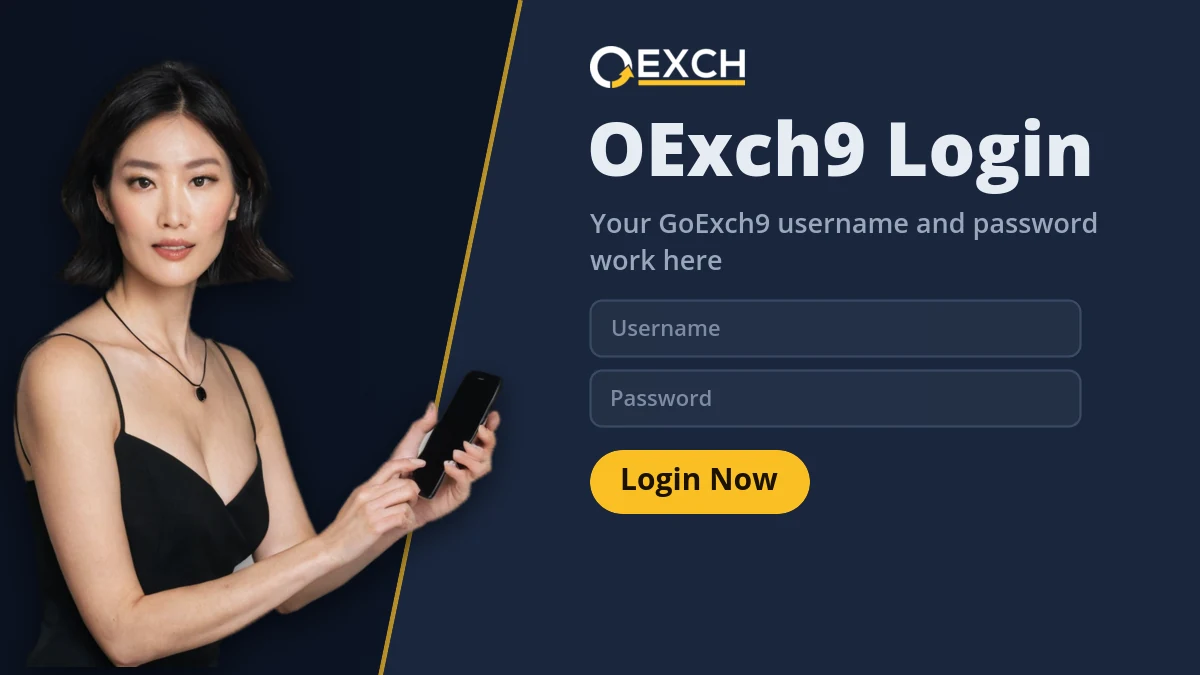
Login
This site is protected by reCAPTCHA and the Google Privacy Policy and Terms of Service apply.
- Case-sensitive username
- Demo ID without deposit
- Reset by your provider
This is the OExch9 sign-in exactly as GoExch9 users know it. Type the username and password, or open the demo first.
 Dragon Tiger
 Lucky 7
 Sic Bo
 32 Cards
 Super Over
 Bollywood Casino
 20-20 Teenpatti
OExch9 Login — Case-Sensitive Username, Demo Button and One Session per ID
To log in to OExch9, open the sign-in card, type the case-sensitive username your provider sent on WhatsApp, enter the password and tap Login. OExch9 has no signup form and no forgot-password link. GoExch9 usernames still work, and the demo button opens the site without credentials.
Most OExch9 login trouble is small: a capital letter, a second phone signed in, or an address blocked on one network. The steps come first, then each refusal message with its fix, then what the goexch9 com login password really is.
- Username and password only
- One session per ID
- Demo without deposit
- GoExch9 usernames accepted
How do I log in to OExch9 with a GoExch9 username?
Five steps. On a normal connection they take about forty seconds from the first tap to the OExch9 balance.
-
Open the OExch9 card or the link your provider sent
Tap Login on the card above, or use the GoExch9 or OExch9 link saved in your provider's WhatsApp chat. Both reach the same two fields. The OExch9 card shows Login, Login with demo ID and the reCAPTCHA line, and nothing else belongs on it.
-
Enter the username with its exact capitals and digits
OExch9 usernames are case-sensitive, and most end in digits, like arjun2290. Switch off auto-capitalise for that field or type the first letter yourself.
-
Copy the provider's temporary OExch9 password
Your provider generated the first OExch9 password. Copying it from the chat avoids mistyping a mix of letters and numbers at 8 pm with a match about to start.
-
Tap Login and let the balance load
A correct OExch9 login lands on the home screen with the balance at the top. On a new ID the opening credit can take a minute to show.
-
Set your own password before a first bet
Open settings inside OExch9, change the password, then sign out once and back in to confirm the new one stuck.
Most GoExch9 players returning after the rename get through these five without noticing that anything changed apart from the wordmark on top of the card.
Why does OExch9 refuse my login? Six screens and their fixes
Each OExch9 refusal message points to one cause. Read the exact wording on your screen and match it below before you message anyone.
Invalid username or password
A capital crept into the OExch9 username
This explains nine out of ten refusals. Retype the OExch9 username by hand and look hard at the first character. The password is case-sensitive as well, so check caps lock on a laptop.
Account is inactive
The OExch9 ID went dormant while unused
OExch9 parks an ID that sits idle for a few weeks. One message to your provider reactivates it the same day, and the balance stays exactly where you left it.
Session expired
Another device signed in to the same OExch9 ID
OExch9 allows one live session per ID, so a login on a second phone logs the first one out. If that keeps happening and nobody else should know the password, ask for a reset that day.
Page loads, odds frozen
The OExch9 login worked and the network is stalling
Some mobile networks occassionally slow the site between 8 and 10 pm. Switch between Wi-Fi and mobile data rather than logging out, since signing in again costs time you do not have during a chase.
Site will not load
That OExch9 address is blocked on your connection
Betting domains get blocked in India. Use the other GoExch9 or OExch9 address your provider shares; the username, password and balance are identical there.
Old link, parked page
A saved GoExch9 bookmark points to a retired address
After the rename, some GoExch9 bookmarks stopped leading anywhere useful. Sign in once from the OExch9 card on this site and save that link in place of the old one.
None of these six means money has gone from your OExch9 wallet. The one that deserves quick action is a session that keeps expiring while you sit still, because it usually means a second person is signing in with your details.
What is the goexch9 com login password, and who resets it?
The goexch9 com login password is the one your provider set when your ID was created and sent to you on WhatsApp. OExch9 has no forgot-password link, so only that provider can reset it from the master account, and a new password usually arrives in the same chat within a few minutes.
Ask for the reset in one message that includes your OExch9 username. The provider never needs your old password to to do this and never needs the new one sent back, so anyone asking for either is not the person handling your OExch9 account.
When the new password lands, sign in on the OExch9 card, change it in settings straight away, and sign out on any other phone where the old one was saved.
Forgot the OExch9 username rather than the password?
That is a different problem with its own page. The username sits in the first WhatsApp message from your provider, and they can read it back from their master list; the OExch9 login ID page covers the details.
Three OExch9 login messages that get a quick reply
Providers answer short, specific requests first. Each of these fits in one WhatsApp bubble and gives the OExch9 desk everything it needs to act without asking a follow-up question.
Username arjun2290. OExch9 login says account is inactive. Please reactivate.
Username arjun2290. OExch9 keeps logging me out, and I am on one phone only. Please reset my password.
Username arjun2290. GoExch9 link will not open on my network. Please send the current OExch9 address.
Notice what is missing from all three: no password, no screenshots of the password field, no long story. The username, the exact OExch9 error, and the thing you want done.
Can I use OExch9 without a login? The demo ID button
Partly, yes. Login with demo ID, the second button on the OExch9 card, opens the site with practice chips and no username.
It is the quickest way to check two things before paying for a real OExch9 ID: that the site runs smoothly on your handset, and where match odds, session lines and the casino lobby sit. Demo chips cannot be withdrawn, and demo bets never touch a real balance.
When you want the real thing, the OExch9 ID page explains the WhatsApp request and the ₹100 opening balance.
What the OExch9 login card will never ask you to type
The OExch9 sign-in has two fields and two buttons, and that is the complete list. Knowing it by heart is the quickest way to tell the real OExch9 card from anything imitating it.
- A mobile number or an OTP. OExch9 IDs are tied to a username, not to a phone login.
- An email address. There is no email step anywhere in the OExch9 or GoExch9 sign-in.
- Aadhaar, PAN or a selfie. Your provider issues the ID on WhatsApp without documents.
- A UPI PIN. Deposits go to the handle your provider shares in chat, never through the login card.
If a screen asks for any of those before it shows the username and password fields, leave it and open the OExch9 card from this site or from the link in your provider's chat.
OExch9 login after a long break between cricket seasons
Plenty of OExch9 accounts only wake up for big cricket. Someone plays through the IPL, disappears in June, and comes back for a September series to find the login refusing a username that worked perfectly in May.
Nothing was deleted. After a few weeks without activity an OExch9 ID goes dormant, the login screen shows an inactive account message, and the balance sits untouched. Send your username to the provider who issued it and ask for reactivation; it usually happens the same day.
Two extra checks after a long gap. If you have also forgotten the password, ask for the reset in that same message so the provider handles both at once. And ask for the current OExch9 address, because the one you used in May may have been blocked since and replaced by a new one carrying the same account.
OExch9 login on a phone, a laptop or a home-screen shortcut
| Device | How to open OExch9 | Worth knowing |
|---|---|---|
| Android phone | Chrome, then the OExch9 card | Add to Home screen gives a one-tap icon |
| iPhone | Safari, then the OExch9 card | Share, then Add to Home Screen |
| Laptop or desktop | Any current browser | Bookmark the OExch9 card instead of searching each time |
| A second device | Same username and password | Signs the first device out |
OExch9 has no Play Store app, so the home-screen icon is what most people mean by a GoExch9 app login. It opens the same sign-in and follows the same one-session rule.
Moving to a new phone? Sign in on the new one first, then sign out of OExch9 on the old handset. Two live sessions on one ID make the site close both, usually halfway through an over.
 Andar Bahar
 Live Roulette
 Baccarat
 20-20 Poker
 Instant Worli
 Ball By Ball
 Matka Market
OExch9 login rush hours: when sign-in is instant and when it queues
For an India fixture or an IPL game starting at 7:30 pm, the OExch9 login and deposit rush lands between 7:15 and 7:45.
Everyone signs in together and tops up together, so the OExch9 login screen and UPI credits slow down at the same moment. Nothing is broken. Sign in by about 6:45 pm, fund the wallet then, and the first ball finds you ready.
Late nights flip the problem around. OExch9 itself answers instantly at 2 am, but a provider who is asleep cannot approve a password reset or a withdrawal untill morning, so fund the OExch9 account before midnight if you plan to follow an overnight Test from Australia or England.
OExch9 match-night login checklist for 6:45 pm
Ten minutes before the rush, run through this list once. It removes nearly every reason an OExch9 login fails at the toss.
- Signed in to OExch9 on the one phone you will use tonight
- Temporary password already replaced with your own
- Wallet funded, with the UPI screenshot saved in the provider chat
- Current OExch9 address bookmarked in case the old one gets blocked
- Demo session closed so the real balance is on screen
- Provider chat pinned, with your username in the last message
Six ticks, and your GoExch9 username is ready before the 7:15 queue even starts.
What changed at the OExch9 login when GoExch9 was renamed?
Only the name and some addresses changed. The OExch9 login card keeps the GoExch9 username field, password field, Login button, demo ID button and reCAPTCHA line. Usernames, passwords, the one-session rule and balances all carried over, so an active GoExch9 ID signs in to OExch9 without registering again.
The practical difference showed up in saved links. People who kept an old GoExch9 bookmark instead of remembering the brand found it pointing somewhere else and assumed their OExch9 account had disappeared with it. It had not.
If your OExch9 card ever looks different from the description above, with extra fields or a missing demo button, stop and ask your provider for the current address before signing in. The GoExch9 rename changed a name, not the card.
Straight after an OExch9 login: balance, exposure and statement
Three figures matter on the OExch9 home screen. Balance is the money in the wallet. Exposure is the part tied up in bets that have not settled yet. The statement lists every deposit, withdrawal and settled bet in order.
A balance of ₹5,000 with ₹4,200 in exposure leaves ₹800 you can withdraw from OExch9 right now, and the rest comes back or goes as those markets settle. Players who read only the top number are the ones who ask why a withdrawal request was capped.
Open the OExch9 statement once in your first ten minutes so you know where it lives. If a deposit is ever disputed, it is the page your provider will ask you to screenshot.
Exposure also explains why OExch9 sometimes refuses a new bet straight after login even though the headline balance looks large enough. The free part of the balance has to cover the stake, not the total.
goexch login and go exchange 9 login both open OExch9
People search goexch login, go exchange 9 login and goexch9 login for the same card. All three lead to OExch9 and take the same credentials. GoExch777 and Go Exchange 365 are separate operators, and an OExch9 username is refused on both.
If you prefer to type the address yourself, signing in from https://goexch9.com or www.goexch9.com has its own walkthrough on the OExch9 com login page.
OExch9 Login Help: Case-Sensitive Usernames, Sessions and Demo
How do I log in to OExch9?
Open the OExch9 sign-in card, type the case-sensitive username your provider sent on WhatsApp, enter the password and tap Login. Change the temporary password in settings straight after, then sign out and back in once to confirm the new one saved.
Does my GoExch9 username work on OExch9?
Yes. The rename from GoExch9 to OExch9 kept usernames, passwords and balances. If the login returns an inactive account message instead, the ID went dormant while unused, and your provider can switch it back on the same day with the balance intact.
What should I do if I forgot my OExch9 password?
Message the provider who issued your OExch9 ID and include your username. OExch9 has no forgot-password link, so the provider resets it from the master account and sends a new password on WhatsApp, usually within a few minutes. Change it after your next login.
Why is my OExch9 login not working?
Most failed OExch9 logins come from an extra capital letter in the username. Other causes are a dormant ID, a second device signing in, or an address blocked on your network. Retype the username by hand first, then try another working OExch9 address.
Can two phones stay logged in to one OExch9 ID?
No. OExch9 keeps one live session per ID, so signing in on a second phone logs the first one out. If you keep getting logged out while nobody else should know the password, ask your provider for a reset the same day.
Can I log in to OExch9 without an ID?
Only through the demo. The Login with demo ID button on the OExch9 card opens practice chips without a username or deposit. Real bets and withdrawals need a real OExch9 ID, which a provider issues on WhatsApp in about three minutes.
Is there an OExch9 app login?
OExch9 has no Play Store or App Store app. Save the OExch9 sign-in card to your home screen from the browser menu, and the icon opens straight to the username and password fields with the same one-session rule as the website.
Why does OExch9 say my session expired?
OExch9 ends a session after a long idle spell or when the same ID signs in somewhere else. Sign in again. If it keeps happening while you sit still, someone else probably has your password, so ask your provider to reset it immediately.
Which address should I use for the OExch9 login?
Use the OExch9 card on this site or the address your provider sends on WhatsApp. Betting domains get blocked in India, so the working address can change, but the same OExch9 username and password open the account on every one of them.
How long does an OExch9 password reset take?
A reset request sent with your OExch9 username during the day is usually answered within a few minutes. Late at night it can wait until morning, because the provider handles resets personally from the master account rather than through an automatic email.
Your GoExch9 username opens OExch9 right here
Type it on the card, or tap the demo button first and look around with practice chips.
OExch9 LoginOExch9 Login and the GoExch9 Words People Type for It
An OExch9 login is the first thing most GoExch9 players look for, and every search in this list ends at that same sign-in card.
- A goexch9 login, a goexch login and a plain goexch9 search all open one card, now carrying the OExch9 wordmark.
- Go exchange 9 and goexch 9 are the spoken and spaced spellings of the same brand.
- goexch9.com is reached as https://goexch9.com, www.goexch9.com, goexch 9.com or Go Exchange 9 com, while goexch com and goexch9.in are addresses people try when one is blocked.
- A goexch9 com login or a goexch9 id login means signing in with your username, and the goexch9 com login password comes from your provider.
- A goexch9 id, a goexch9 new id and a goexch9 sign up all start with the goexch9 whatsapp number, which people also save as the goexch9 customer care number.
- goexch9 com admin, goexch9 admin and goexch9 admin login are master-account screens rather than player logins.
- goexch9 app login, goexch9 app download apk and goexch9 com download searches lead to the browser shortcut, since no store app exists.
- To withdraw from GoExch9, sign in, open the wallet and send the request to the UPI you deposit from.
Other Ways People Search the OExch9 Login
- goexch9 login
- goexch login
- oexch9 login
- goexch9 login password
- goexch9 com login
- oexch9 demo id login
- goexch9 login kaise kare
- goexch9 login problem
- go exchange 9 login